

SubLedger vs. Sub Ledger (iOS App): Web App vs. iPhone-Only — What’s the Difference?
TL;DR
Same-ish name, completely different products made by different people.
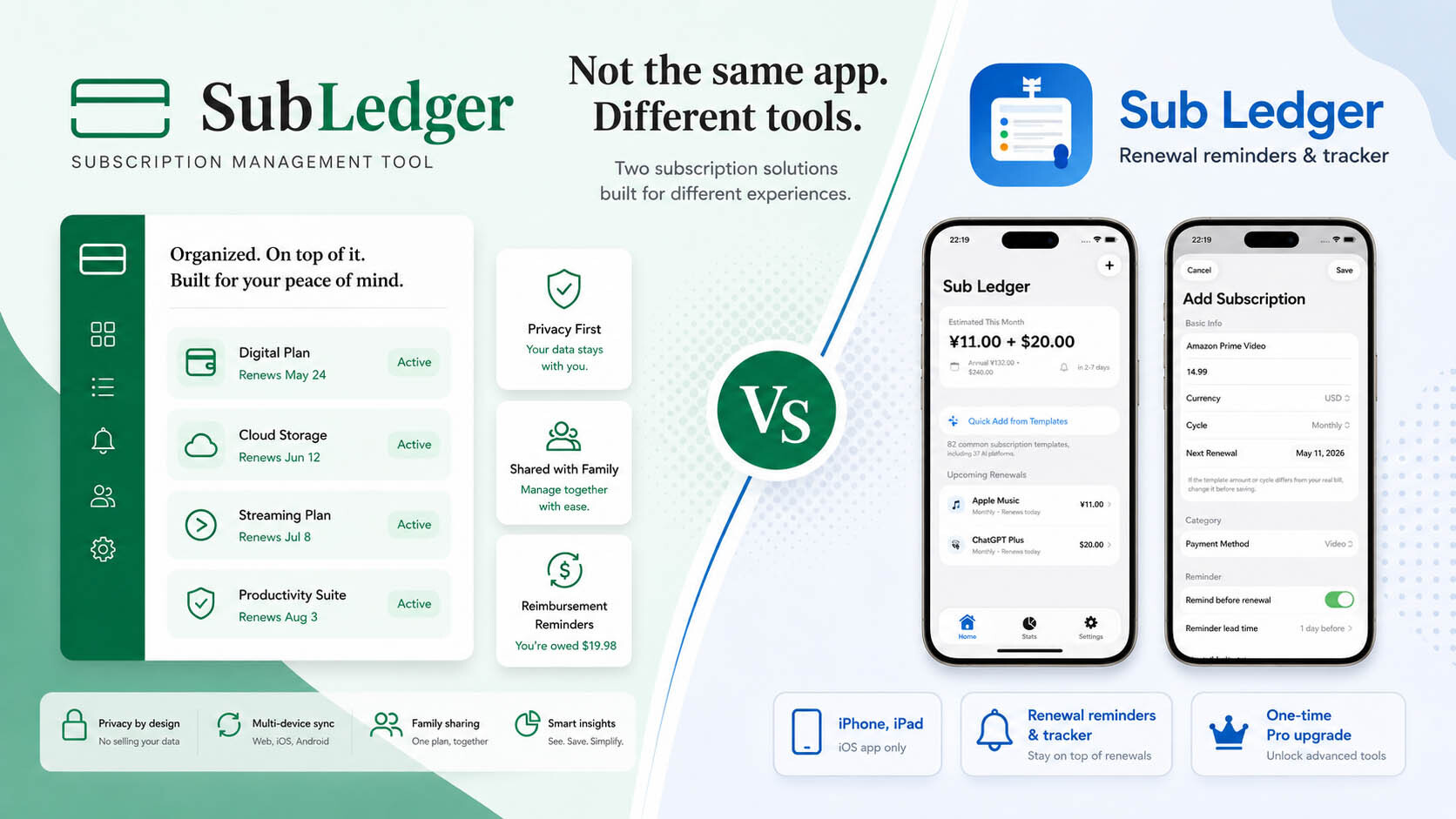
- Sub Ledger iOS app is a free iPhone/iPad app with a $4.99 one-time Pro upgrade. Data lives only on your device — nothing uploaded, nothing backed up. Great for international users (10 currencies, 16 languages), but iPhone-only and every subscription is added manually.
- SubLedger (mysubledger.com) is a web app that works on any device. Data follows your account across devices. Paid plans are monthly, but the free tier includes renewal reminders and email receipt forwarding that can auto-detect subscriptions. USD-only for now.
- Pick Sub Ledger iOS app if: you're iPhone-only, want a one-time purchase, and don't mind keeping everything local.
- Pick SubLedger (mysubledger.com) if: you use multiple devices, want your data backed up to an account, or want the email forwarding feature to do some of the manual work for you.
Two Different Apps, One Very Similar Name
To be clear up front: SubLedger (mysubledger.com) and Sub Ledger (the iPhone app on the App Store) are not the same product, and they’re not made by the same people. SubLedger is a web app built by Michele A. Barard LLC. Sub Ledger is a native iOS app built independently by developer 利菏 甘. The naming overlap is coincidental — “sub-ledger” is actually an existing accounting term for a detailed ledger that feeds into a larger account, so it’s not surprising more than one subscription-tracking app has landed on some version of it.
That said, if you’re comparing the two, the differences are real and worth knowing before you pick one.
What Is Sub Ledger (iOS App)?
Sub Ledger is a free iPhone and iPad app that launched on the App Store in 2026. It’s built around a local-first approach: you manually add your subscriptions, and the app tracks monthly and annual spending, upcoming renewals, and category and payment-method breakdowns, with local notifications before each renewal.
It supports ten currencies (CNY, USD, EUR, GBP, JPY, HKD, TWD, SGD, CAD, and AUD) and is available in 16 languages, which makes it a solid option for an international audience. There’s no account and nothing is uploaded — per its own App Store privacy declaration, the developer collects no data at all.
Sub Ledger iOS App Pricing
| Plan | Price | Notes |
|---|---|---|
| Free | $0 | Up to 5 subscriptions |
| Pro | $4.99 one-time | Unlimited subscriptions, CSV export, full feature unlock |
What Is SubLedger?
SubLedger is a privacy-first subscription tracker built for people who want full visibility into their recurring expenses without handing over banking credentials to a third party. No bank linking, ever. You add and manage subscriptions manually, with renewal reminders and a private email address that auto-detects new subscriptions when you forward a receipt to it.
SubLedger’s only payment integration is Stripe, used solely to process paid plan subscriptions. The only financial data SubLedger ever sees is what you choose to enter — nothing is sold, ever.
SubLedger Pricing
| Plan | Price | Subscriptions | Key Features |
|---|---|---|---|
| Free or Pay What You Can | $0/mo. | Up to 10 | Renewal reminders, dashboard & summaries |
| Personal | $5/mo. | Up to 20 | All Free features, employer reimbursement tracking |
| Family | $10/mo. | Up to 50 | All Personal features, assign subscriptions to family members, shared cost tracking |
| Business | $50/mo. | Unlimited | All Family features, custom categories, bookkeeper access, downloadable reports |
Feature Comparison
| Feature | SubLedger | Sub Ledger (iOS App) |
|---|---|---|
| Platform | Web app, works on any device | iPhone & iPad only (requires iOS 17+) |
| Where your data lives | Securely synced to your account — access it from your phone, laptop, or tablet | Stored only on your device — if you lose or replace your phone without exporting first, your data is gone |
| Bank account linking | ✅ Never — manual entry only | ✅ Never — manual entry only |
| Pricing | Free tier, then $10/mo. Personal, $20/mo. Family, $50/mo. Business | Free for up to 5 subscriptions, $4.99 one-time Pro unlock for unlimited |
| Renewal reminders | Email reminders before each renewal | Local push notifications before each renewal |
| Email receipt forwarding | ✅ Forward receipts to a private address — auto-detected and added for you | ❌ Not available |
| Spending breakdowns | Visual spending trends and reports (coming soon) | Monthly & annual totals with category and payment-method breakdowns |
| AI insights | ❌ No | ❌ No |
| Family or team plans | ✅ Family ($20/mo.) and Business ($50/mo.) plans available | ❌ Single-user only |
Head-to-Head: The Key Differences
1. Web App vs. iPhone-Only
Sub Ledger iOS app only runs on an iPhone or iPad with iOS 17 or later. If you use Android, Windows, or want to check your subscriptions from a laptop or a work computer, it’s simply not an option.
SubLedger (mysubledger.com) is a web app. It works on any device, with no download or app store required. Open it from your phone, your laptop, a tablet, or a shared computer, and it’s the same app with the same data.
2. Where Your Data Actually Lives
Sub Ledger iOS app’s “local-first” design means your subscription data is stored only on the device you entered it on. There’s no account and nothing is backed up automatically. If you lose your phone, switch to a new one without exporting your data first or want to check your list from a different device, that data isn’t there. CSV export (a Pro feature) is the only way to move it.
SubLedger (mysubledger.com) uses a free account so your data follows you. The same subscription list whether you log in from your phone or your computer. That account exists only to save your data; SubLedger doesn’t link to your bank, and your information is never sold.
3. One-Time Purchase vs. Ongoing Plans
Sub Ledger iOS app’s free tier covers up to 5 subscriptions, and a single $4.99 purchase unlocks unlimited tracking and CSV export for good. For someone with a handful of subscriptions who wants a simple on-device list, that’s a low-commitment option.
SubLedger (mysubledger.com) is built around ongoing plans, a free tier plus Personal, Family, and Business tiers, designed for people who want their subscription tracker to keep evolving, with new features like email receipt forwarding rolled out over time at no extra cost to existing plans.
4. Receipts In, Subscriptions Added Automatically
With Sub Ledger iOS app, every subscription is added by hand, one at a time, for as long as you use the app.
SubLedger (mysubledger.com) gives every user a private, unique forwarding address. Forward a subscription receipt from any email provider — not just Gmail — and SubLedger detects the subscription and adds it for you. The email is deleted immediately after processing.
5. Multi-Currency Support
This is one area where Sub Ledger iOS app has a real edge: it natively supports ten currencies, which makes it a strong fit if you’re tracking subscriptions billed in CNY, EUR, JPY, or several currencies at once.
SubLedger’s (mysubledger.com) pricing and interface are currently built around USD. If most of your subscriptions are billed in U.S. dollars, this won’t matter, but it’s a fair point in Sub Ledger’s favor for an international audience.
Sources
The following sources were used in the research and preparation of this article. SubLedger’s payment processing is handled exclusively through Stripe (stripe.com). SubLedger does not link to or store bank account information.
- Sub Ledger iOS app App Store listing: apps.apple.com
- Sub Ledger iOS app Developer privacy policy: luanlzsn.github.io
- SubLedger (mysubledger.com) Privacy Policy: mysubledger.com/privacy
Start tracking your subscriptions in minutes
— no bank account required, no data sold, ever
TRY SUBLEDGER FREEFAQ
Are SubLedger (mysubledger.com) and Sub Ledger iOS app the same company?
No. SubLedger (mysubledger.com) is built and operated by Michele Barard. Sub Ledger, the iPhone app on the App Store, is built independently by developer 利菏 甘. The similar name is coincidental — “sub-ledger” is a pre-existing accounting term, and both products landed on a version of it independently.
How can I tell them apart?
SubLedger — one word — is the web app at mysubledger.com, available on any device. Sub Ledger — two words — is the iPhone and iPad app on the App Store.
Which one should I use if I don’t have an iPhone?
SubLedger (mysubledger.com). As a web app, it works in any browser on any device — Android, Windows, Mac, or iPhone.
Does Sub Ledger sell my data?
According to its App Store privacy declaration, the developer of the Sub Ledger iOS app does not collect any data at all. Its local-first design means there’s simply nothing to send anywhere.
Does SubLedger sell my data?
No. SubLedger (mysubledger.com) never sells user data, and its only payment integration is Stripe, used solely to process paid plan subscriptions. And it does not link to or access your bank account.
What happens to my subscription data if I switch phones?
With Sub Ledger iOS app, your data stays on the old device unless you export it first. There’s no account to sign back into. With SubLedger (mysubledger.com), your data is tied to your account, so logging in from a new device (or any device) shows the same subscription list.